Fourteen usability-testing scenarios across three participant roles, aligned to the latest Client UX FigJam. IO + IO Admin is retained below as an out-of-scope reference.
14 scenarios31 test tasks3 UT roles1 reference role
Programme operations
AD (P&C)
Submit, continue, withdraw, amend, and resubmit internship projects.
Role 014 scenarios7 test tasksLatest Client UX FigJam
AD (P&C)
Programme-centre project submission work, from first upload through withdrawal and returned-project resubmission.
UT-AD-01Submit New Internship Projects for Your Programme Centre (PC)⌄
Scenario context
You are Shu Qi, the AD (P&C) of PC3. You have received the “Project Request – Tech UP” email from the Internship Officer and need to consolidate mentor project scopes, fulfil the requested placements, and submit them through TOA.
1Upload and submit the completed project template⌄
Task prompt
Open your email and download the attached Excel template and fill it in with project scopes. Then upload the completed file into TOA and submit it.
2Create and submit an additional project manually⌄
Task prompt
A mentor has provided one additional project that was not included in the Excel batch. Create a new project, enter its scope, skills, discipline, mentor details and placements, review any AI check or recommend-review flags, and submit it.
UT-AD-02Continue an Incomplete Submission⌄
Scenario context
You started a Project Request last week but left it unfinished. With the deadline approaching, TOA has reminded you by email and in-system notification to review the existing work, cover the remaining placements, and submit it.
Test tasks
2 tasks
1Review the incomplete request⌄
Task prompt
Find the request you previously left incomplete and review the existing project cards against the request requirements.
2Complete the remaining work and submit⌄
Task prompt
Review and edit any projects marked Not Submitted, add any projects needed to cover the request, complete the PC Head and Security review declarations, submit the updated projects, and confirm that “X of Y submitted” is updated.
UT-AD-03Withdraw a Submitted Project⌄
Scenario context
A mentor can no longer offer a project that you submitted and that is still pending IO review. You need to locate the submission, withdraw the affected project, and confirm that it is no longer under consideration.
Test tasks
2 tasks
1Review the submitted request and its projects⌄
Task prompt
Locate the request showing its “X of Y submitted” placement count and review the current status of its project cards.
2Withdraw “Cyber Security (Intern)”⌄
Task prompt
Find the “Cyber Security (Intern)” project, review its details, withdraw it, confirm the withdrawal when prompted, and verify that its status is updated.
UT-AD-04Review and Resubmit a Returned Project⌄
Scenario context
An IO has emailed you because a submitted project needs clarification after review. You need to find the returned project, understand the feedback, update the relevant fields, and resubmit it.
Test tasks
1 task
1Address IO feedback and resubmit the project⌄
Task prompt
Starting from the email, locate the returned project, review the IO comments, update the relevant fields, resubmit the project, and confirm that its status reflects the resubmission.
Role 026 scenarios11 test tasksLatest Client UX FigJam
Mentor
Interview preparation, assessment, internship progress, offboarding, and internship-change requests.
UT-M-01Review Shortlisted Applicants’ Profiles and Schedule Interviews⌄
Scenario context
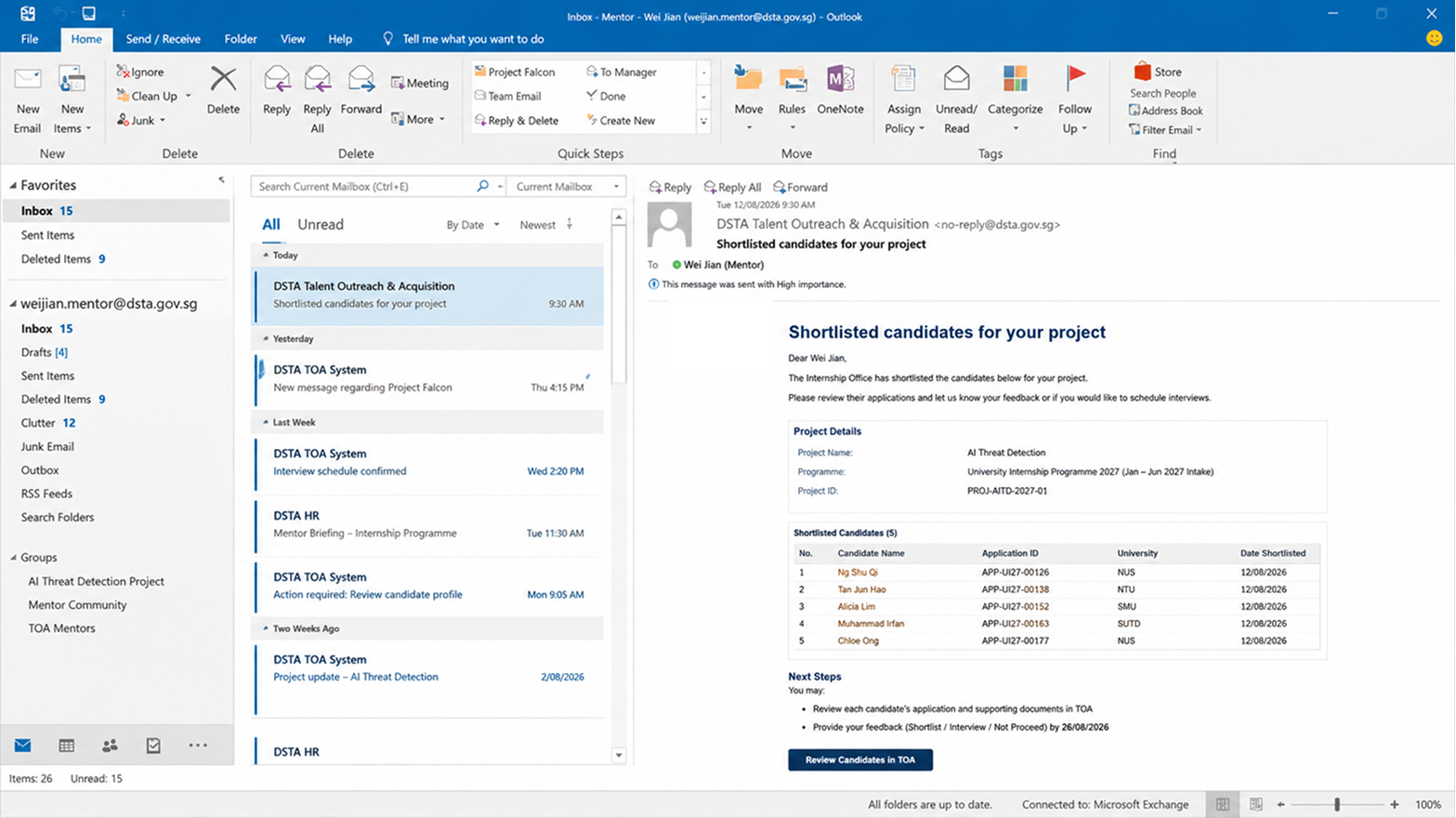
You are Wei Jian, Mentor of the “Secure AI Operations” project in PC3. IOs have shortlisted candidates and their profiles, CVs and transcripts are ready for review.
Test tasks
1 task
1Review candidates and arrange interviews⌄
Task prompt
Review shortlisted candidates’ profiles, CVs and transcripts. Offer one candidate multiple interview slots through TOA, and choose to arrange another candidate’s interview directly outside TOA.
Review and send the interview invitation - (Task complete 1/2)
Open another shortlisted candidate’s profile
Select the candidate for an interview
Choose to arrange the interview directly outside TOA - (Task complete 1/2)
UT-M-01 entry simulation
Email notification and sign-in are included before the Mentor workspace opens.
Step 1 of 2·Email notification
Start from the shortlisted-candidates email
For this usability test, assume the Mentor receives this email and follows its call to action to review candidates in TOA.
The simulation will move to the email call to action, then show the sign-in handoff.
Step 2 of 2·Sign in
Signing in to TOA
This brief loading state represents the authentication step used during the moderated test.
D
Talent Outreach & Acquisition
Secure access to the Mentor workspace. Your assigned project and shortlisted candidates are being prepared.
Loading Mentor workspace…
Signing in and loading your assigned project.
UT-M-02Rescheduling Interviews⌄
Scenario context
Your interviews are confirmed, but a confirmed time may need to change because either your availability or the applicant’s availability has changed.
Test tasks
2 tasks
1Reschedule Amelia Ng’s interview⌄
Task prompt
Your availability has changed. Find Amelia Ng’s confirmed interview and offer her the replacement slot on [DD MM YYYY] at [HH:MM], then verify the updated interview status.
2Respond to Chen Jia Hui’s rescheduling request⌄
Task prompt
Starting from Chen Jia Hui’s rescheduling email, review when she is and is not available, offer replacement slots that meet her request, and verify that the interview request is updated.
UT-M-03Evaluate an Applicant after the Interview⌄
Scenario context
You have interviewed Chen Jia Hui. TOA has generated AI-assisted insights from the transcript to support—but not replace—your evaluation and recommendation.
Test tasks
1 task
1Complete and submit the interview evaluation⌄
Task prompt
Review the interview transcript and AI-assisted insights, add your evaluation comments, select or enter your recommendation, submit it, and verify the updated evaluation status.
UT-M-04Record Progress during the Internship⌄
Scenario context
While an intern is on placement, you may need to record useful notes about their work or progress before the final assessment.
Test tasks
1 task
1Add a progress note for Ethan Lim⌄
Task prompt
Find Ethan Lim’s internship record, add and save a note about him or his progress, and verify that the note appears in the record.
UT-M-05Complete an Intern’s Offboarding⌄
Scenario context
Chen Jia Hui’s internship ends this month. Before she leaves, you need to complete her assessment, offboarding form, and an optional testimonial in TOA.
Test tasks
3 tasks
1Complete the final assessment⌄
Task prompt
Starting from the assessment reminder email, open Chen Jia Hui’s internship record, complete the ratings, add a short overall comment, submit the assessment, and verify its status.
2Complete the offboarding form⌄
Task prompt
Find Chen Jia Hui’s offboarding form, confirm the internship completion details, complete the required fields, review and submit the form, and verify its updated status.
3Generate and edit a testimonial⌄
Task prompt
Open Chen Jia Hui’s internship record, start a new testimonial, generate a draft from her assessment and project record, then review and edit the draft to your liking.
UT-M-06Extend, Complete Early, or Dismiss an Intern⌄
Scenario context
Three interns require different changes—an extension, early completion, or dismissal. You initiate each request in TOA for IO review and Director approval.
Test tasks
3 tasks
1Request a two-week extension for Ethan Wong⌄
Task prompt
Find Ethan Wong’s internship, request an extension to two weeks after the current end date, provide the research-paper reason, submit it, and verify the request status.
2Request early completion for Marcus Lee⌄
Task prompt
Find Marcus Lee’s internship, request completion two weeks before the current end date, provide the enlistment reason, attach his enlistment letter, submit it, and verify the request status.
3Request dismissal for Lucas Ong⌄
Task prompt
Find Lucas Ong’s internship, submit a dismissal request with the disciplinary reason, and verify that the dismissal request status is displayed.
Role 034 scenarios13 test tasks1 IA sessionLatest Client UX FigJam
Applicant / Intern
Account creation, application, interview scheduling, offer response, onboarding, and offboarding.
IA session · Applicant dashboard
Review the Portfolio Overview, Applicant lifecycle and Intern handoff
Validate application priority and status ownership from first visit through the post-acceptance Intern journey.
UT-A-01Create a Profile and Apply for an Internship⌄
Scenario context
You are Chen Jia Hui, a Year 2 Computer Science student at NUS. You need an internship for academic credit and have your CV and transcript ready. Your goal is to set up your TOA profile and apply for a suitable DSTA internship project.
Test tasks
2 tasks
1Create an account and complete your profile⌄
Task prompt
Create your TOA account using Singpass or email, complete any required verification, enter the required profile information, review it, and finish the profile setup.
2Find projects and submit an application⌄
Task prompt
Browse or search for suitable internship projects, review and compare their requirements, rank your preferences, complete the application and supporting documents, submit it, and verify the application status.
UT-A-02Schedule Your Interview⌄
Scenario context
You have been shortlisted for an interview for the “Secure AI Operations” project, your first-choice project. The Mentor will arrange the interview through TOA.
Test tasks
3 tasks
1Confirm a proposed interview slot⌄
Task prompt
Starting from the interview invitation email, sign in to TOA, review the proposed slots, select a suitable time for the Undergraduate Internship 2027 interview, confirm it, and verify the interview details.
2Provide alternative availability⌄
Task prompt
Indicate that none of the proposed slots works, provide the dates and times when you are available, submit them, and verify that the request has been sent to the Mentor.
3Accept the Mentor’s revised slot⌄
Task prompt
Open the revised interview notification, review the new slots proposed by the Mentor, select and confirm a suitable slot, and verify the final interview details.
UT-A-03Respond to an Offer and Get Ready to Start Your Internship⌄
Scenario context
You have received an internship offer for the “Secure AI Operations” project. You need to respond to the offer and, if accepted, complete the required onboarding before the internship starts.
Test tasks
4 tasks
1Accept the internship offer⌄
Task prompt
Starting from the offer email, enter TOA, review the offer, accept it, and verify the updated offer status.
2Decline the internship offer⌄
Task prompt
You have accepted an offer from another organisation. In TOA, review and decline this internship offer, then verify the updated status.
3Request a change to the internship period⌄
Task prompt
Your schedule has changed. In TOA, request a change to the proposed internship period, provide the required details, submit the request, and verify that it has been sent for review.
4Complete all onboarding tasks⌄
Task prompt
After accepting the offer, start from the onboarding email, enter TOA, complete all required onboarding actions, and verify that onboarding is complete.
UT-A-04Offboarding⌄
Scenario context
You are nearing the end of your internship. TOA asks you to complete end-of-internship actions and provides tools you may find useful afterwards.
Test tasks
4 tasks
1Submit Internship Feedback⌄
Task prompt
Starting from the dashboard, locate and complete the Internship Feedback form, review your responses, submit it, and verify the confirmation.
2Generate and share a LinkedIn post⌄
Task prompt
After submitting your feedback, use TOA to generate a LinkedIn post about your internship experience, review it, and share it.
3Generate a résumé description⌄
Task prompt
Generate a résumé-ready description of your internship achievements, review and edit the generated content, and confirm the final version.
4Download the Certificate of Completion⌄
Task prompt
Open the certificate notification or access the TOA dashboard, locate your completed internship record, review and download the Certificate of Completion, and verify that the download succeeded.
Reference section · Outside current UT scope
Reference onlyOutside current UT scope1 IA decision recordUX team · 25 Aug 20262 role views
IO + IO Admin
This role is not part of the current usability test. The existing information-architecture decision is retained for project reference.
IA-01Test Feedback & IA Update Decision⌄
Recorded IA decision
Review the captured before state and the agreed role-aware IA update for IO and IO Admin.
Feedback session: UX team25 Aug 2026
Navigation and IA are unclear
Participants were unsure where to find key tasks and information. The navigation did not clearly show how Programmes, Projects, Applications, and Applicants relate to each other.
IA changes · Before → After
One Programmes structure for IO and IO Admin
Before: Programme, application and internship work had separate top-level entry points.
After: Both roles follow the same programme → intake hierarchy.
Programme access: Create Programme or browse All Programmes.
Programme context: Select a programme → Overview.
Intake tasks: Select an intake → Application & Shortlisting or Interns.
Interns now sits within the selected intake
The new Interns entry appears after Application & Shortlisting. Users can access interns in the same programme and intake context as projects and applications.
Projects follows each role’s scope
Before: Project Requests and Projects appeared as separate primary menus.
IO: Projects → project list directly, with no secondary menu.
IO Admin: Projects → Requests, Submissions or All Projects.
Directory provides a shared people entry point
Both roles use Directory to find people across the workspace. Click a person’s name to open their 360 page in a new tab.
Distinction: Directory is the shared people view; Interns is scoped to the selected intake.
Expected improvement
Find related tasks without leaving the programme and intake context, and reduce switching between primary menus. Validate these improvements in the next usability test.
Interaction criterionClick a person’s name in TOA → Open that person’s 360 page in a new window/tab.
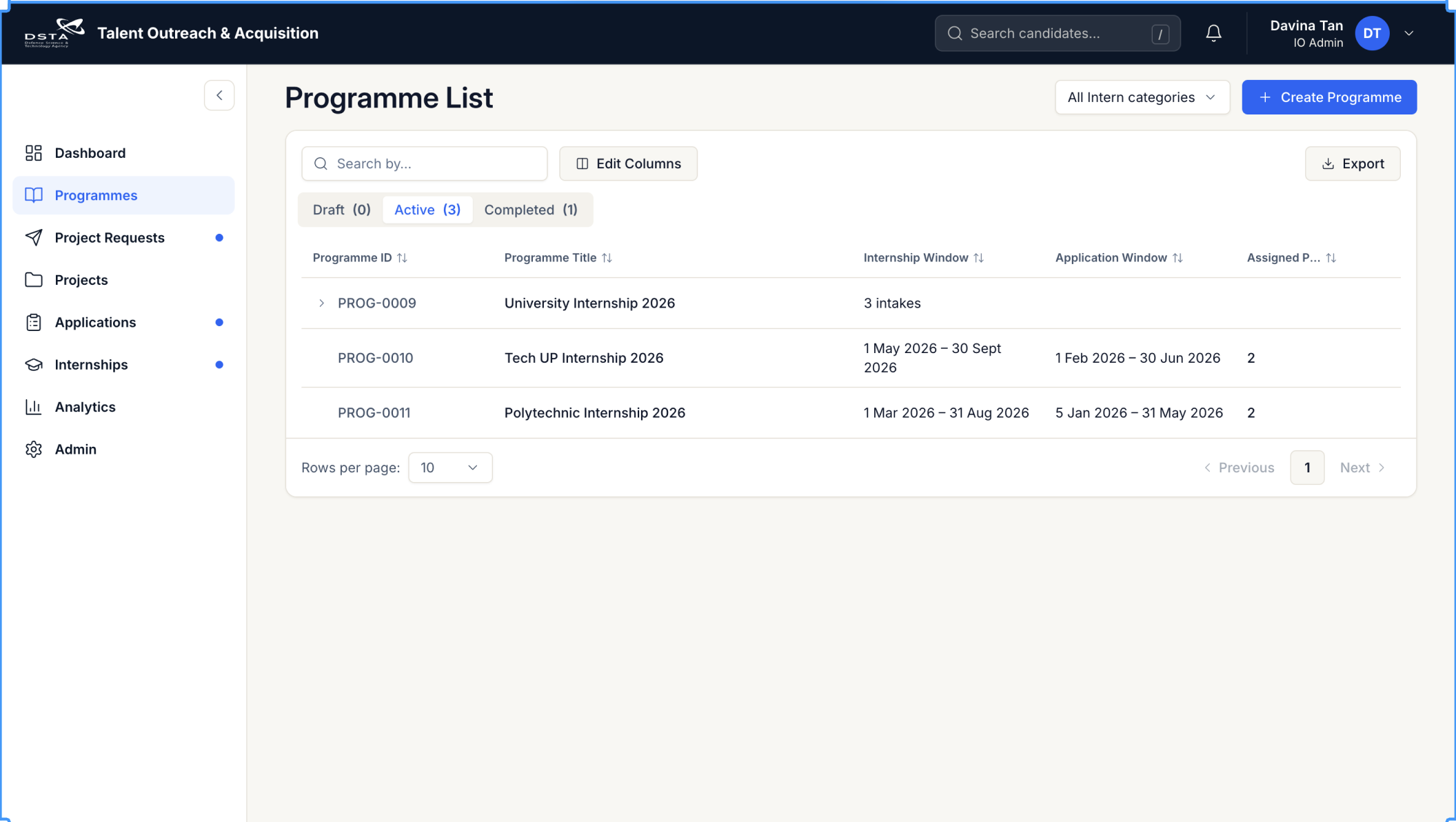
Current IO Admin navigationOriginal navigation captured in the feedback
Recorded test feedbackProgramme lifecycle work is split across several top-level items, while Project Requests and Projects appear as separate destinations without showing their relationship.
Approved role-aware navigationSwitch roles, then select Programmes or Projects in the primary navigation.
IO workspace
Dashboard
See pending actions and operational health before moving into a specific work area.
IA update decisionPrimary navigation becomes Dashboard, Directory, Programmes, Projects, Analytics and Admin. IO and IO Admin share the same Programmes navigation: Create Programme, All Programmes, Selected Programme, Overview and Intake, followed by Application & Shortlisting and Interns. IO Projects opens the project list directly, without secondary navigation. IO Admin Projects contains Requests, Submissions and All Projects.