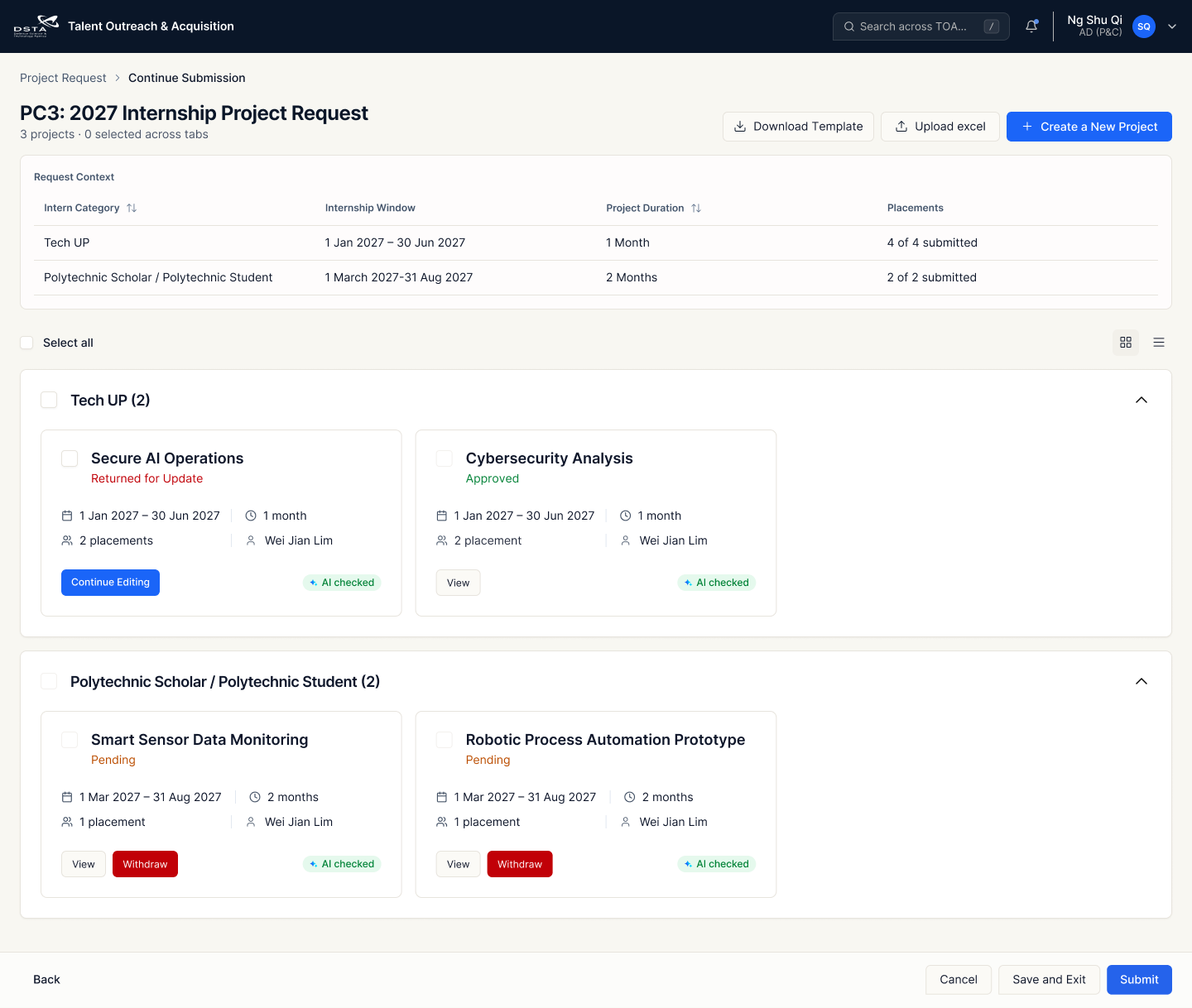
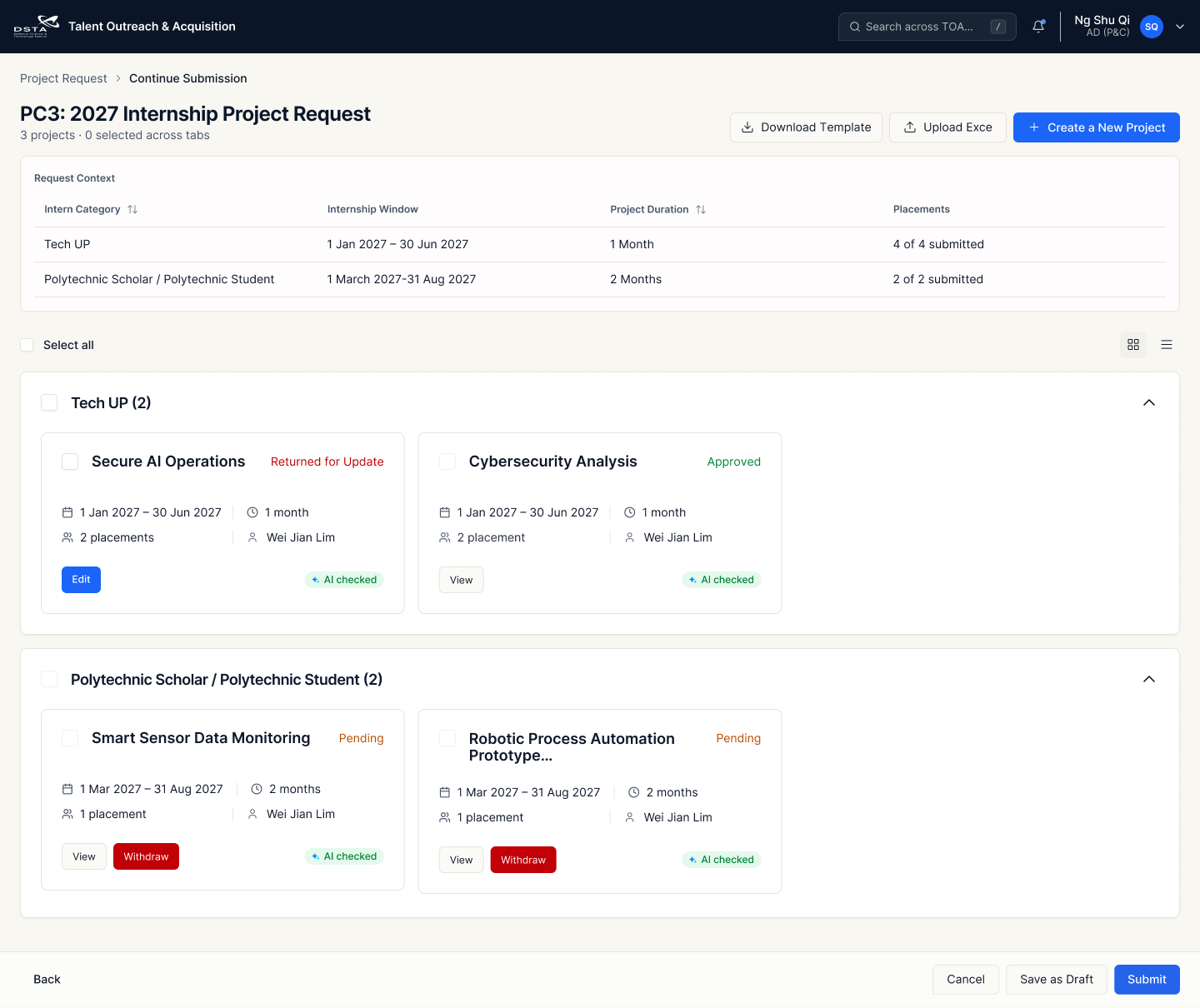
Clarify placement fulfilment and declutter the card
Following the discussion with Marcie, distinguish placement fulfilment from the overall project request: all placements may be submitted while project actions are still pending.
01 · Move the “Fulfilled” badge
Place the badge beside “Total Placement Fulfilment” instead of the top-right corner. It describes the placement total, while Project Statuses continues to show pending actions.
02 · Remove red return-reason boxes
Remove the red “Returned for update” reason boxes from request cards. Retain the concise project-status counts; AD (P&C) can open the submission to read the reasons for return.
Original FigJam feedback · Eileen (Client team)
after discussion with marcie this afternoon, suggest not to put the 'fulfilled' status badge on the top right hand corner, put it somewhere nearer to the "Total Placement Fulfilment" instead. because it will look like it refers to the overarching project request, when actually only the placements are fulfilled, but there are still pending actions.
also, remove all the red "returned for update" boxes to declutter, since adpc will just click into it and will be able to see the reasons for return already.
BeforeOriginal card: status in the top-right corner and a red return-reason box.
01Badge moved beside Total Placement Fulfilment. Only the placements are fulfilled; project actions may still be pending.
02Return-reason box removed. Project-status counts remain. Open the submission to read the reasons for return.
Red outlines and matching numbers identify the two changes; the dashed outline marks the simplified area after removal. Click a screenshot to view the original image at full size. Both references show the PC3 internship project request before and after the update.
Interactive anatomy
Internship Request Card
Placement fulfilment ≠ project approval. Select a scenario, then try the CTA.
1 PC3 : 2027 Internship Project Request
2 Tech UP1 Jan 2027 – 30 Jun 2027 · 1 Month
Polytechnic Scholar / Polytechnic Student1 March 2027 – 31 Aug 2027 · 2 Months
3 Total Placement Fulfilment
4 Project Statuses
Project Request titleAuto-generation rule: Combine the request’s PC name, a colon, the internship year and the fixed suffix “Internship Project Request”.Format: {PC Name} : {Internship Year} Internship Project RequestExample: PC3 + 2027 → PC3 : 2027 Internship Project Request
Category breakdownDates, duration and submitted / required placements.
Request statusPending, Incomplete, Fulfilled or Expired. Fulfilled refers only to placements.
Project status countsCount projects, not placements. Return reasons appear in details.
Compact card references. Red outlines highlight placement status and the submission action.
CTA
When to show it
Start Submission
Before submitting anything.
Edit Submission
Once something has been submitted, while confirmation is still outstanding.
View Submission
Once everything has been confirmed.
Fulfilled describes placement fulfilment, not confirmation of the whole request. The Expired reference separately shows View Submission in Closed Requests.
The reference appears under Closed Requests with an Expired badge.
CTA · View Submission
Review the expired submission, as shown in the reference.
L2 · Project Request Detail
Consistent statuses, clear actions and clickable titles
Final client decisions for the project request detail page.
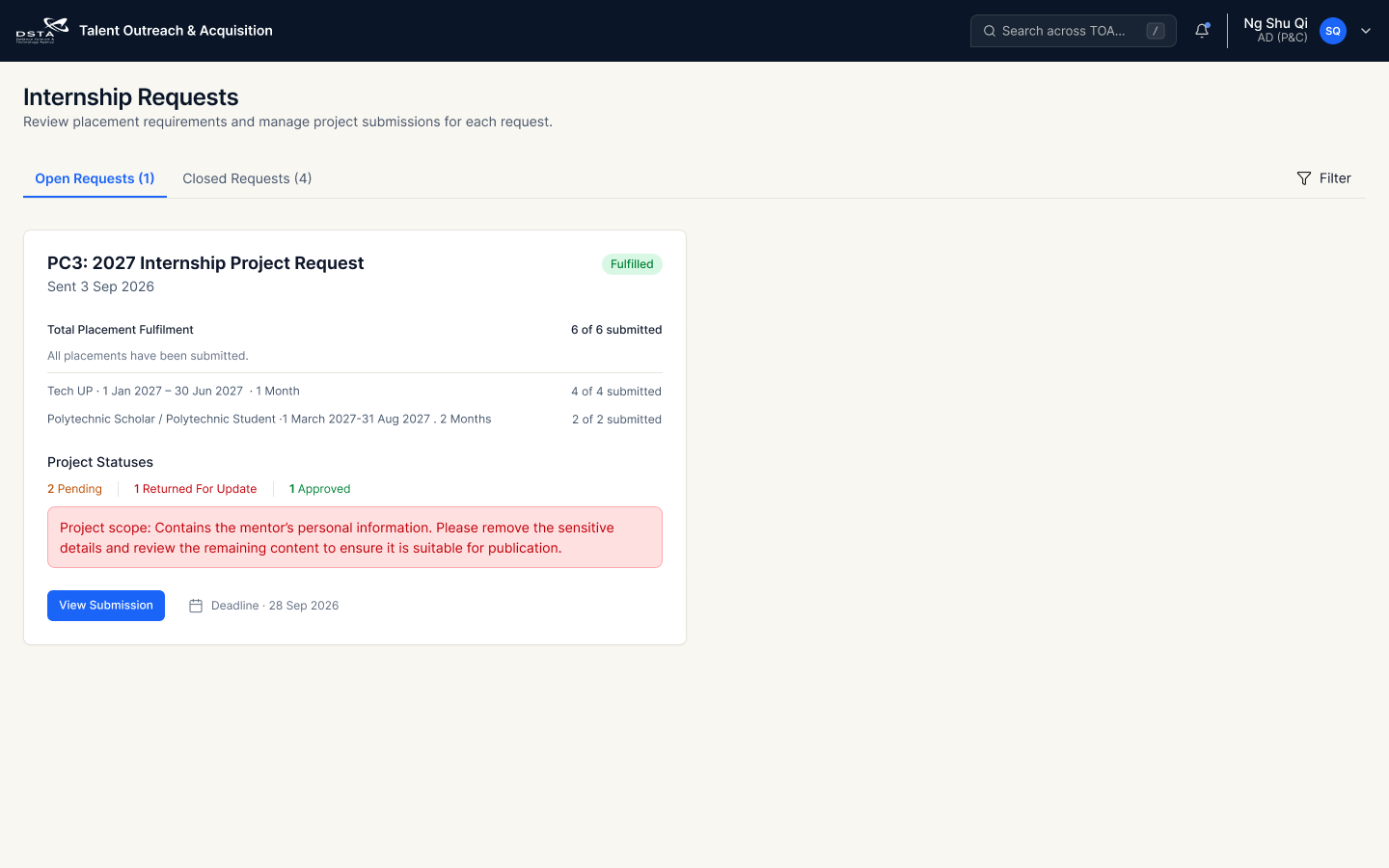
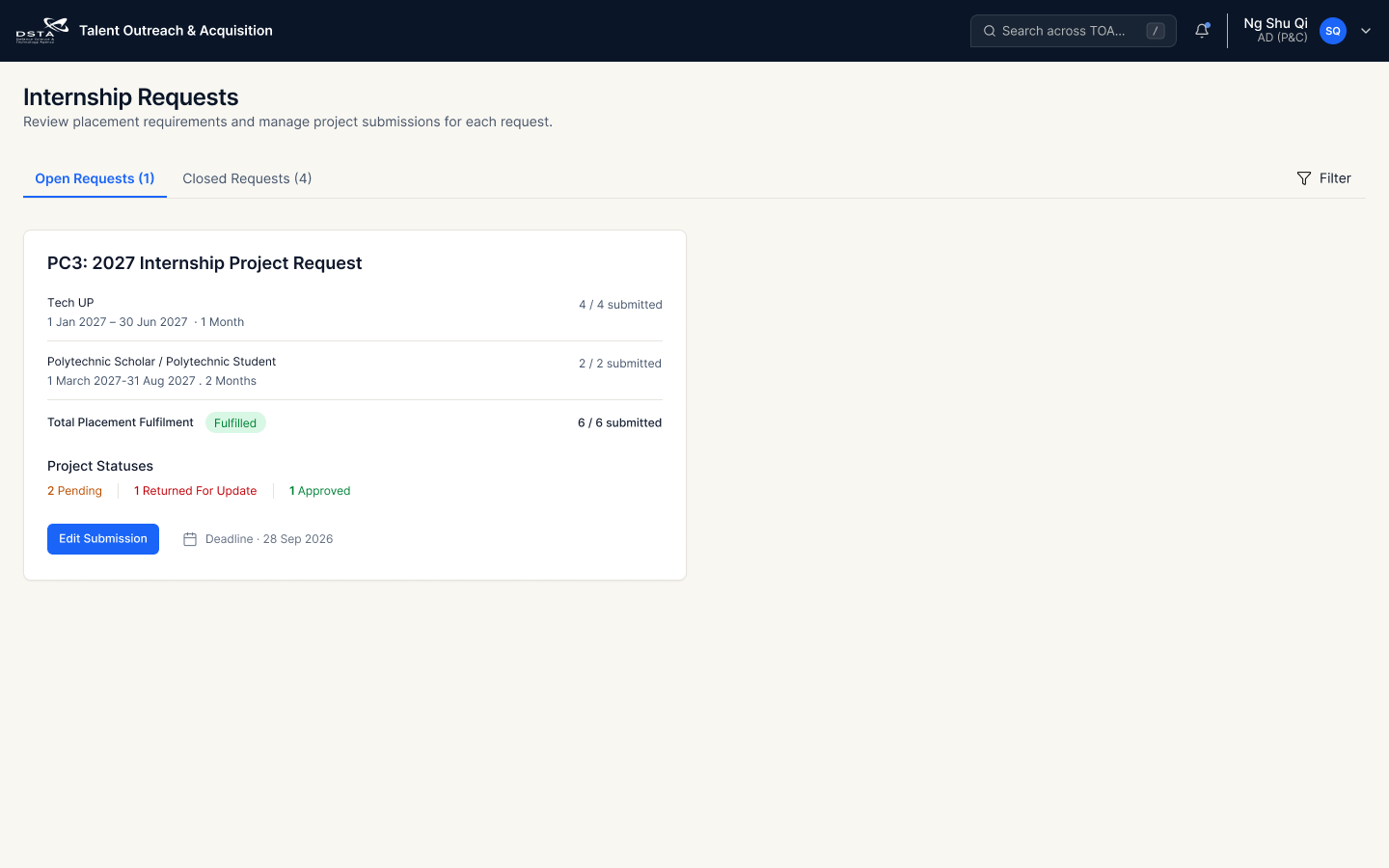
01 · Consistent status badge
Keep the project status at the top-right of each project card. Use the consistent badge style agreed in the July review.
02 · Use “Edit”
Rename the action button from “Continue Editing” to “Edit”.
03 · Clickable titles throughout the system
Internship category names, project names and applicants’ names must link to their corresponding detail pages.
04 · Use “Save as Draft”
Standardise the save action as “Save as Draft”, replacing “Save and Exit”.
Client comments and final agreement
“Status indicator should be consistent. suggest to use the same badge and put on top right hand corner”
Client reply: “oh okayy. then we keep on top right hand corner, style to follow the review back in july!”
“continue editing” naming for an action button sounds weird. use “Edit”
Throughout the whole system, all titles should be clickable and bring the user to the detail page: internship category name, project name and applicant’s name.
Final naming decision: Save as Draft.
Reading the comparison: red numbers 01–04 match the agreed changes above. Title outlines identify navigation targets, not verified links. The screenshot shows the status position change; use the July review as the source for the final badge style.
BeforeProject Request Detail · Red outlines match the four review points.
01Status at the top-right. Position is updated. The agreed July badge styling remains a requirement; this screenshot shows coloured text.
02Edit. The action label is updated.
03Clickable title rule. Category names, project names and applicants’ names must open details. Click behaviour cannot be verified from a static screenshot; no applicant name is shown here.
04Save as Draft. The final agreed save label is shown.
Click either screenshot to open its unannotated full-size reference. These are documentation images; interaction rules above describe the required application behaviour.
 6 Deadline · 28 Sep 2026