App shell context
Top bar and side rail are shown only as context. The L2 rules below focus on the list page surface, not the global shell.
Use L2 for operational scanning and management. It should help users find records, compare status, and enter the right L3 task without losing list context.
Use this list view as the L2 reference: one page heading, one primary creation action, two levels of tabs, one table surface, and clear L3 entry points.
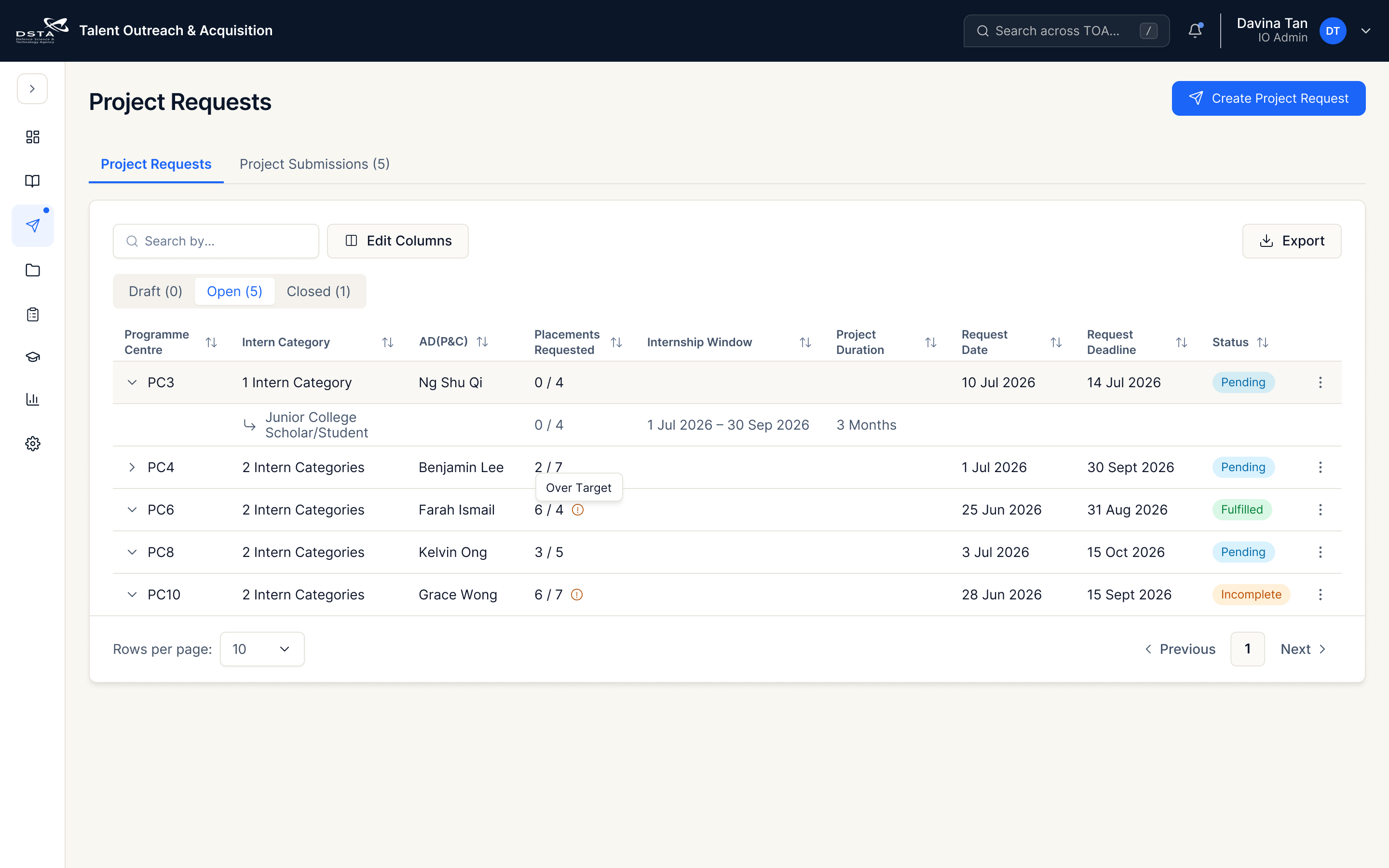
Top bar and side rail are shown only as context. The L2 rules below focus on the list page surface, not the global shell.
Keep the H1 short and task-facing: “Project Requests”. Supporting copy is optional; this page is already inside the Internship workstream.
Use one solid primary button at the page level: “Create project request”. It should sit outside the table card because it creates a new parent object.
Because this page contains two levels of tabs, use the underline tab style for the primary page switch: “Project Requests” and “Project Submissions”. The active tab uses the PRIZM accent and a clear bottom indicator.
The table sits on the card / table surface token. Search, edit columns, status tabs, export, rows, and pagination belong inside this single list surface.
Search and column configuration are list-level controls. Export stays secondary and aligned to the far edge of the surface toolbar.
Inside the table card, use segmented/plain tabs for state scopes such as Draft, Open, and Closed. Counts stay plain and should not compete with status badges.
Parent rows represent Programme Centre request groups. Expanded child rows show intern categories and placement counts without opening a new page.
Status badges should remain low-emphasis semantic metadata. Placement counts stay numeric text; “Over Target” can use a small warning cue beside the count.
Rows per page and page navigation stay attached to the table surface. Avoid floating pagination outside the card.
Use the PRIZM muted/hover surface colour for row hover. It should indicate focus only, not imply selection, warning, or approval.
Place contextual actions in the overflow menu at the end of each parent row. Keep the trigger visually quiet and preserve a clear path into the relevant L3 task.
Allow users to drag table headers to reorder configurable columns. Keep structural columns and row actions anchored where required, and preserve the chosen order for the next visit.
Follow PRIZM Surface anatomy for list surfaces: main canvas uses the canvas background; the table card uses the cards/forms/tables surface; row dividers use the card/table border; selected tabs, links, and primary actions use the accent token.
Usage: [IO] Project Requests, Programmes list, Projects list, Projects, Applications.
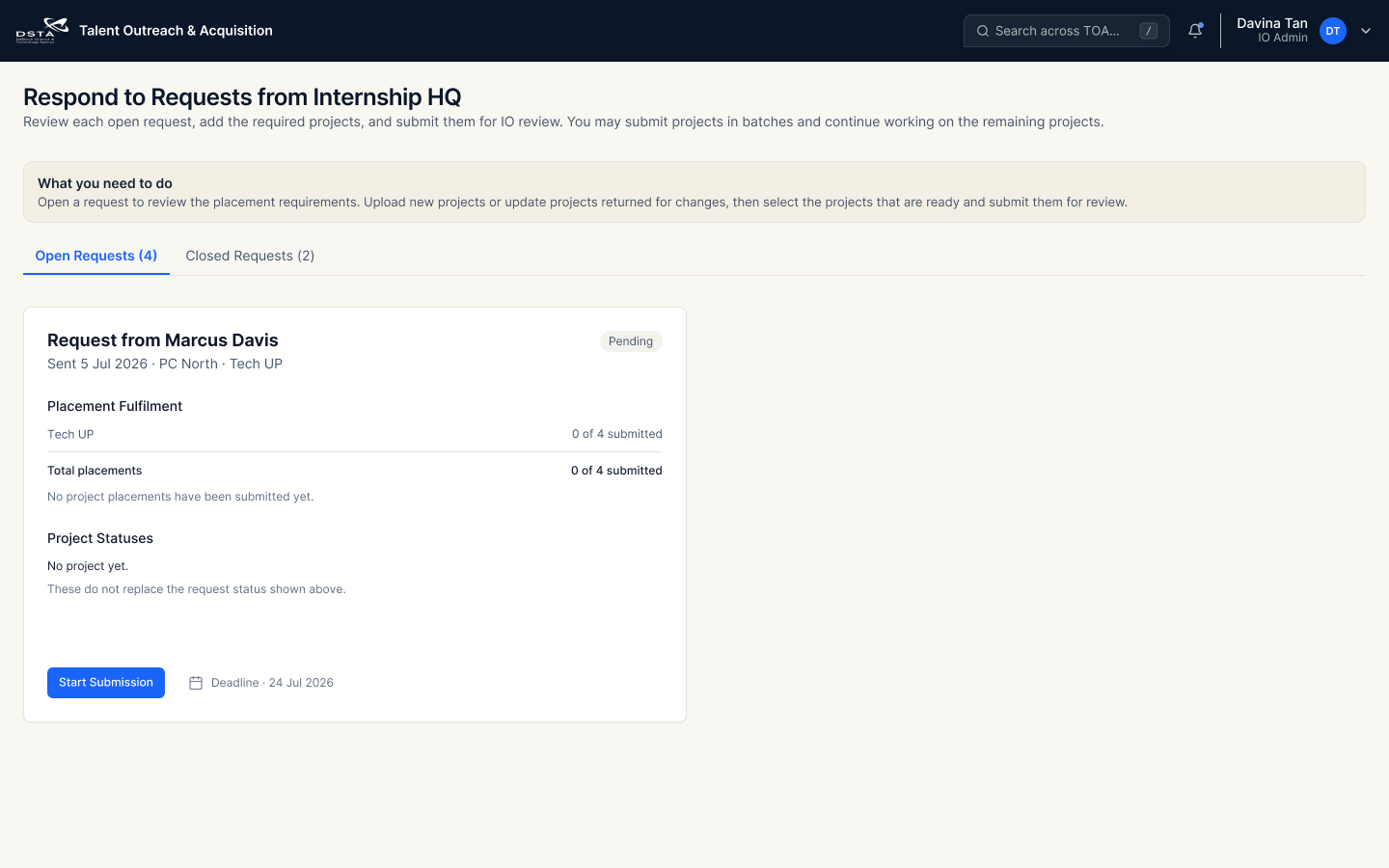
Compare two approved card-layout options for the same pending request state. Drag the divider to review how the identical request information adapts from a full-width card to a compact single-column card.
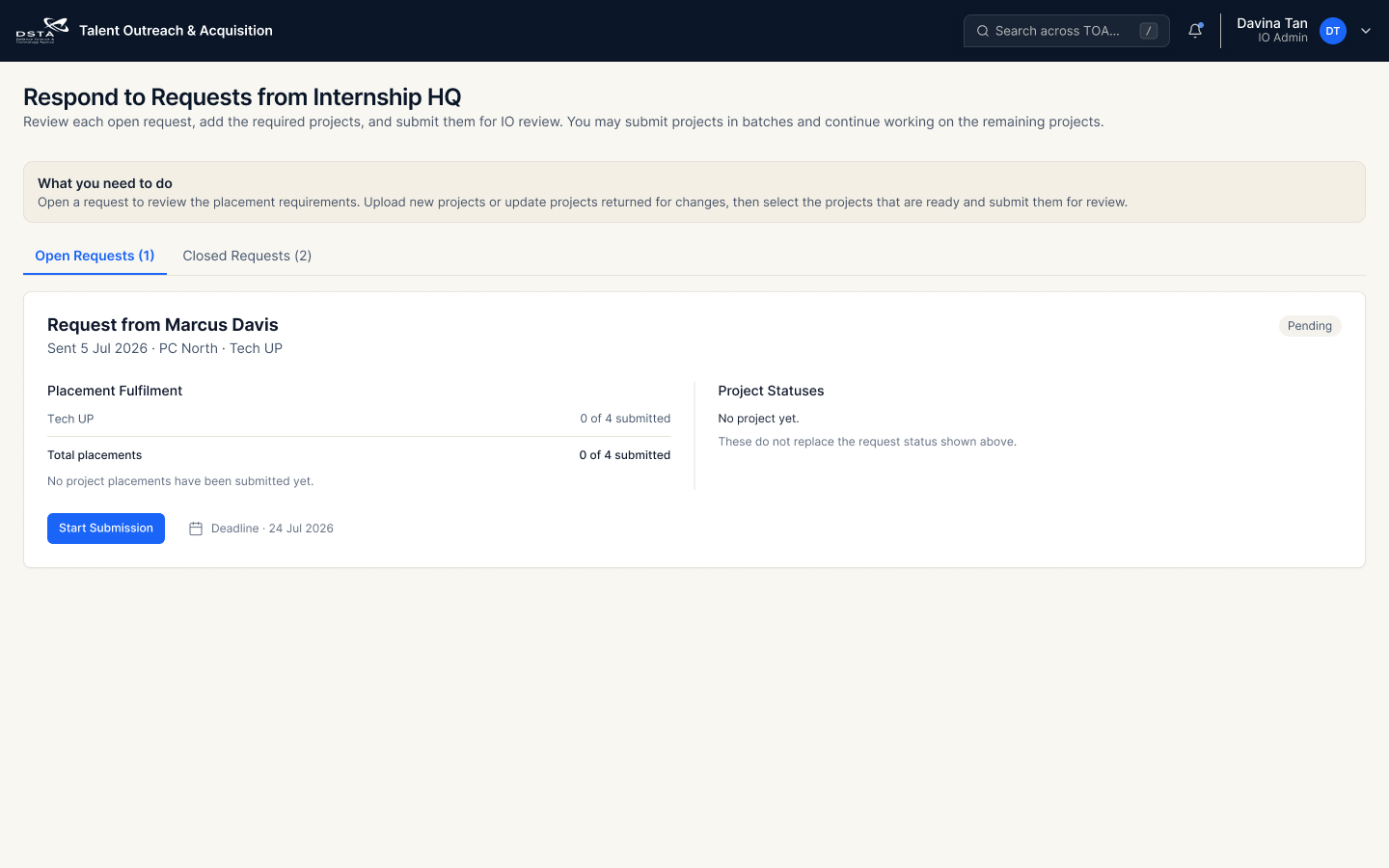
Use when there are few open requests and the placement fulfilment and project-status summaries benefit from a horizontal two-column layout.
Use when several open requests need to appear in one list. The narrower card keeps each record easy to scan and compare vertically.
Both options retain the request owner, programme-centre context, placement fulfilment, project status, request status, deadline, and primary action.
Layout choice does not change behaviour. “Start Submission” opens the same L3 project submission task in either option.
Use Option 1 for a low-volume request queue where one record can occupy the available width. Use Option 2 for a higher-volume queue that benefits from compact, repeatable cards.
Rows, row actions, and primary page actions should open focused L3 pages. Returning from L3 should restore list context such as search, filters, tabs, pagination, and expanded row state where relevant.