App shell context
The top bar and side navigation are inherited shell context. L3 guidance focuses on the task canvas below the shell.
Use L3 for one focused object or decision: create, edit, review, preview, or inspect. Keep the page scoped enough that the user knows exactly what can be completed here.
Use this layout for focused submission tasks where the user selects, edits, reviews, and submits a batch of child records from one parent request.
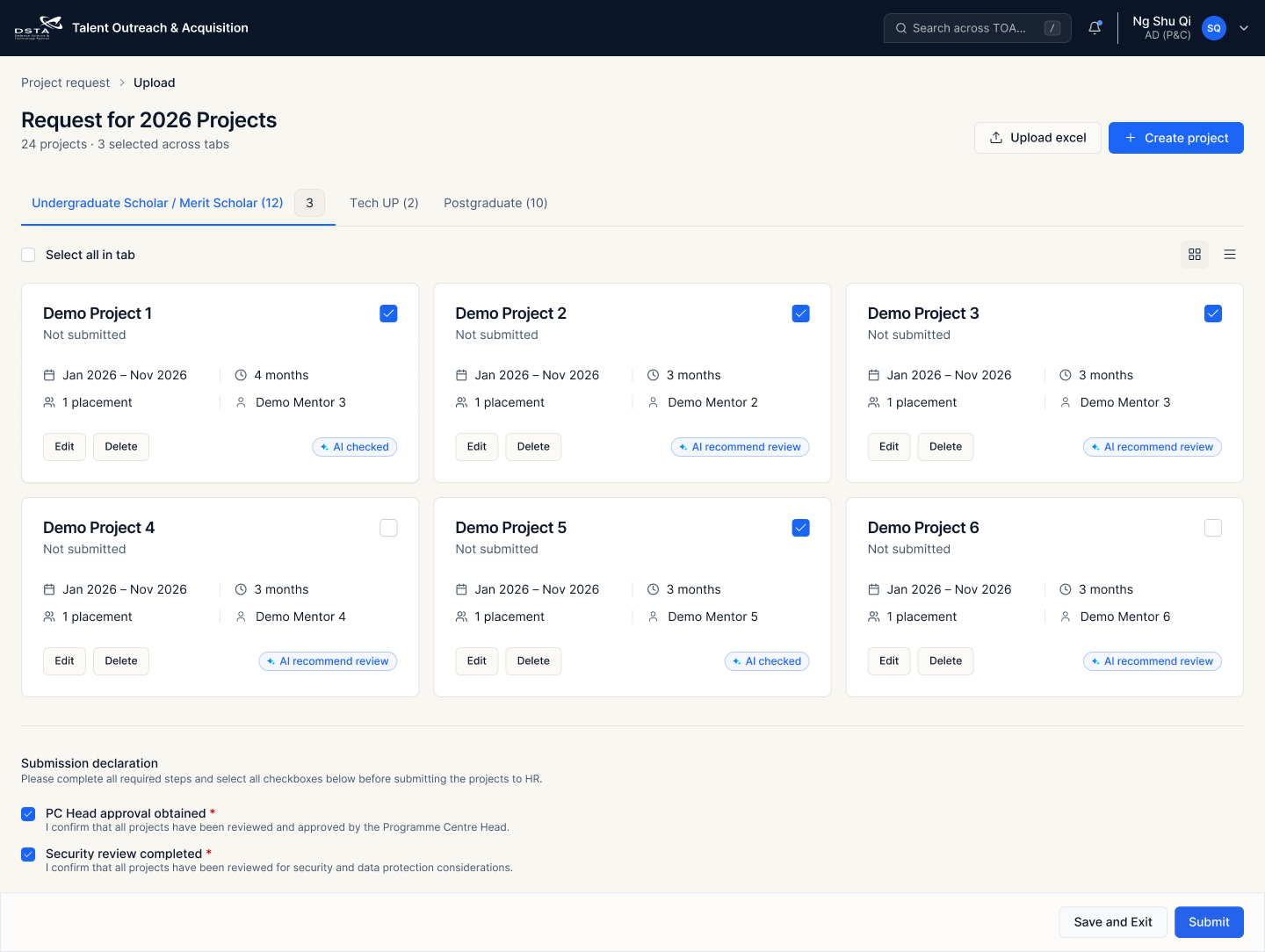
The top bar and side navigation are inherited shell context. L3 guidance focuses on the task canvas below the shell.
Use breadcrumb to show the parent list or request route, then the current task. It should support a clear return path.
The H1 should name the task and object, such as “Request for 2026 Projects”. Supporting copy can show record count and selected count.
Use page-level actions for adding data into the task, such as uploading Excel or creating a project. These are not row actions.
Tabs segment the child records by category. Keep counts plain and preserve the selected count when users move across tabs.
Selection is part of the task, so select-all and view switch controls should sit directly above the card or list surface.
Use cards when each project needs enough metadata to make a review decision. Each card can expose edit, delete, AI cue, and selected state.
Put required declarations before the sticky action footer. Footer actions should complete the task: save, exit, or submit.
Use for AD (P&C) project submission, batch upload review, and any L3 task where the user selects multiple child records before final submission.
Use a clear hierarchy so users can understand the object before entering related tasks.
L3 pages should not strand the user. When a task is cancelled, saved, submitted, or closed, return to the originating L2 list with search, filters, tabs, pagination, and expanded row state preserved where relevant.