D
TOA Page & Flow Guide
PRIZM 4 · D Experience documentation framework
Back to IA session
Applicant dashboard · Applicant & Intern lifecycle

One lifecycle model, tracked per application

The experience begins before an application exists, continues through an independent four-stage journey for every submitted application, then becomes an Intern journey after an offer is accepted.

Before submission

No application yet → Draft application → Submitted

The first two scenarios prepare the applicant for the tracked journey. They need distinct content and actions because only Draft represents an application record.

2 additional scenarios
Portfolio-level empty state

No application yet

The user has no application record, so the experience focuses on discovery and preparation rather than progress.

Explore programmesCompare eligibility and deadlines
→
View programmeChoose an opportunity
→
Start applicationCreate the first draft
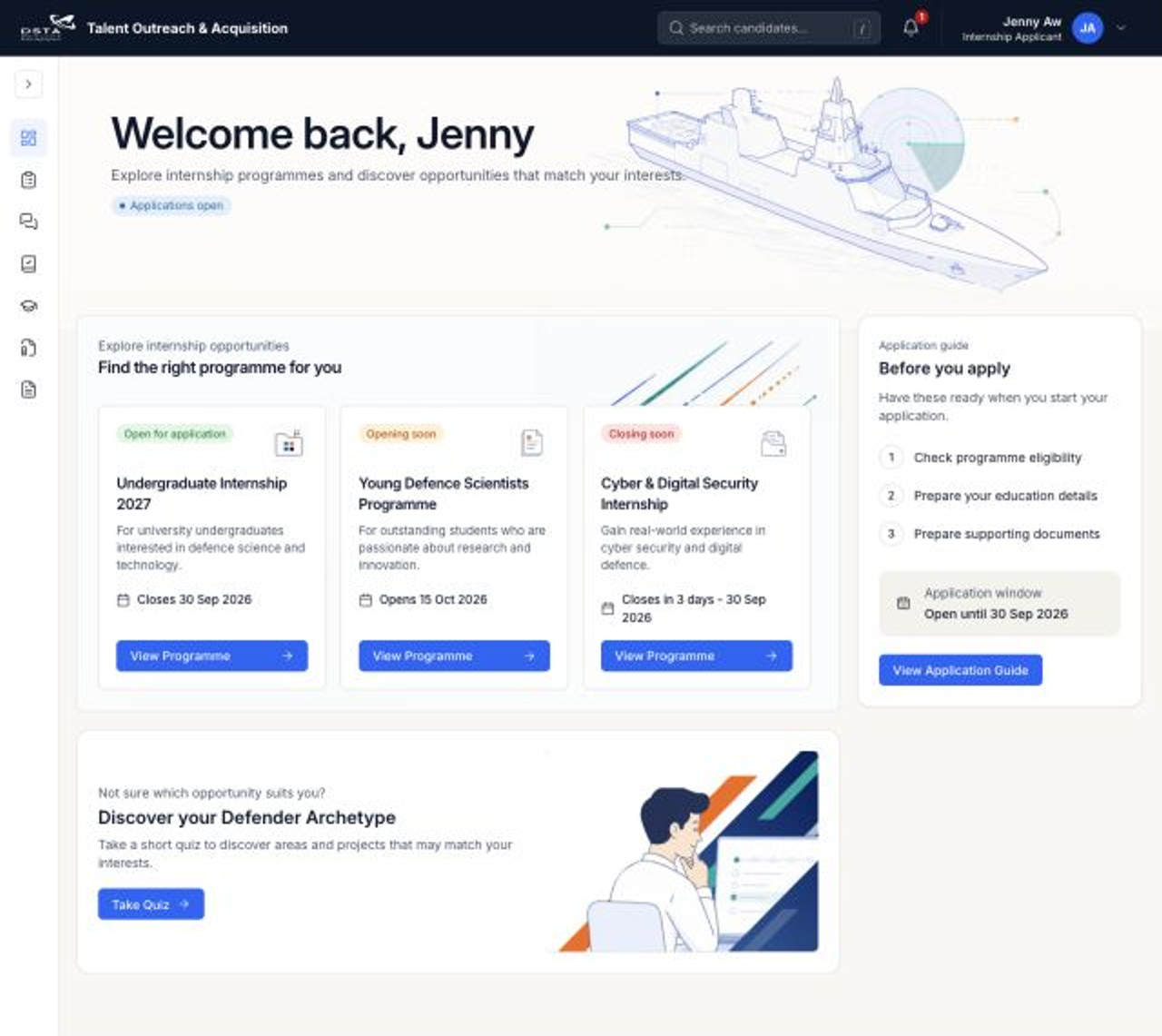
Applicant dashboard showing that no application exists yet
Dashboard: No application yetDiscovery and preparation replace lifecycle progress.
Portfolio

Do not show an application progress bar. There is no application to track yet. Primary CTA: View Programme or Start Application.
Application-level pre-submission state

Draft application

A saved application exists, but it has not entered the formal review lifecycle.

DraftSaved · Not submitted
→
ReviewComplete required sections
→
SubmittedEnter the tracked journey
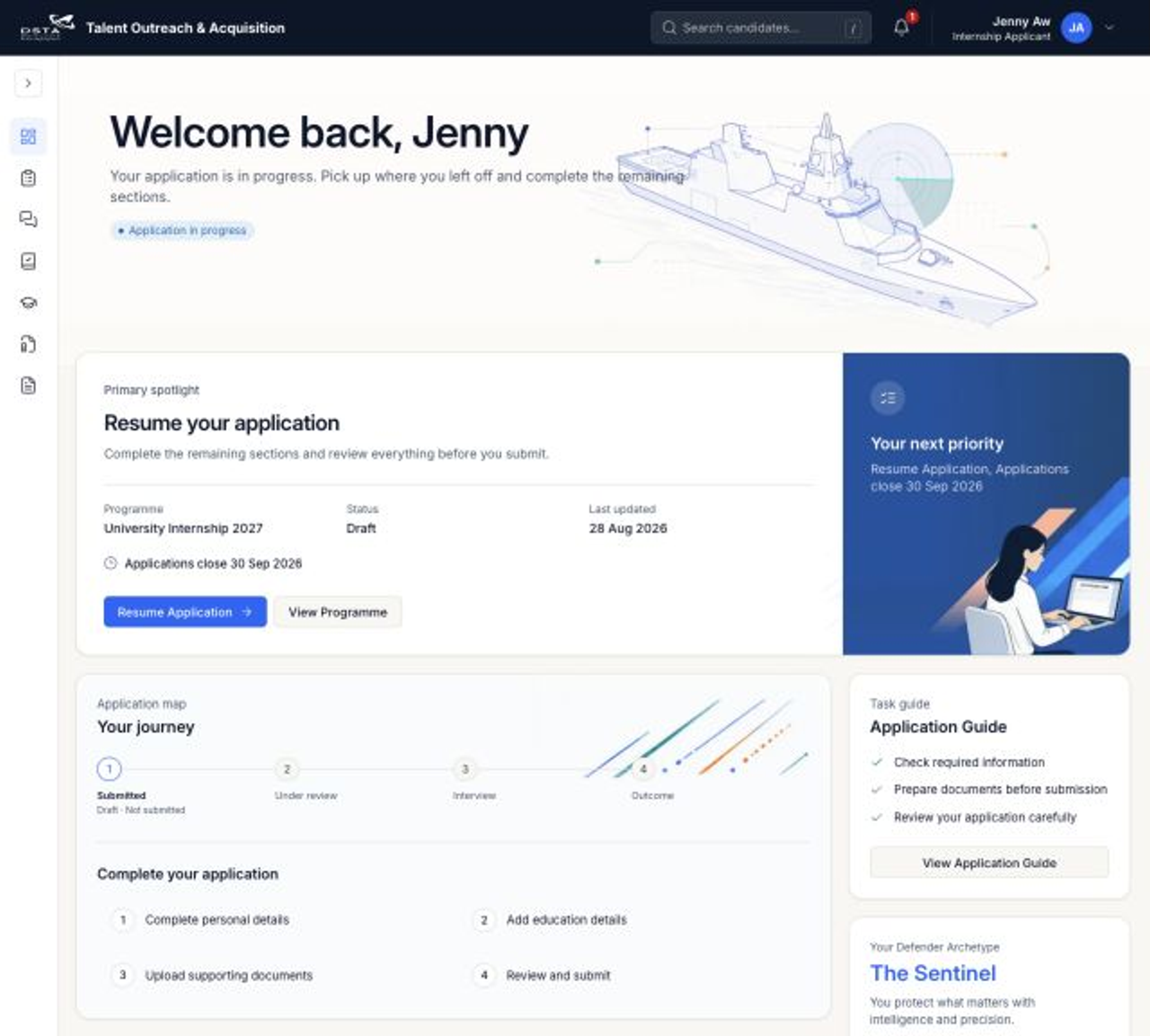
Applicant dashboard showing a draft application
Dashboard: Draft applicationResume the application before Submitted becomes complete.
Pre-submit

Show completion tasks, not completed lifecycle stages. Primary CTA: Resume Application. Submitted remains pending until submission succeeds.

Standard journey

Submitted → Under review → Interview → Outcome

Select a state to see how the same progress component changes. The Outcome label stays stable while its supporting text communicates the offer result.

✓ Complete Current Future× Terminal
Current lifecycle state

Application submitted

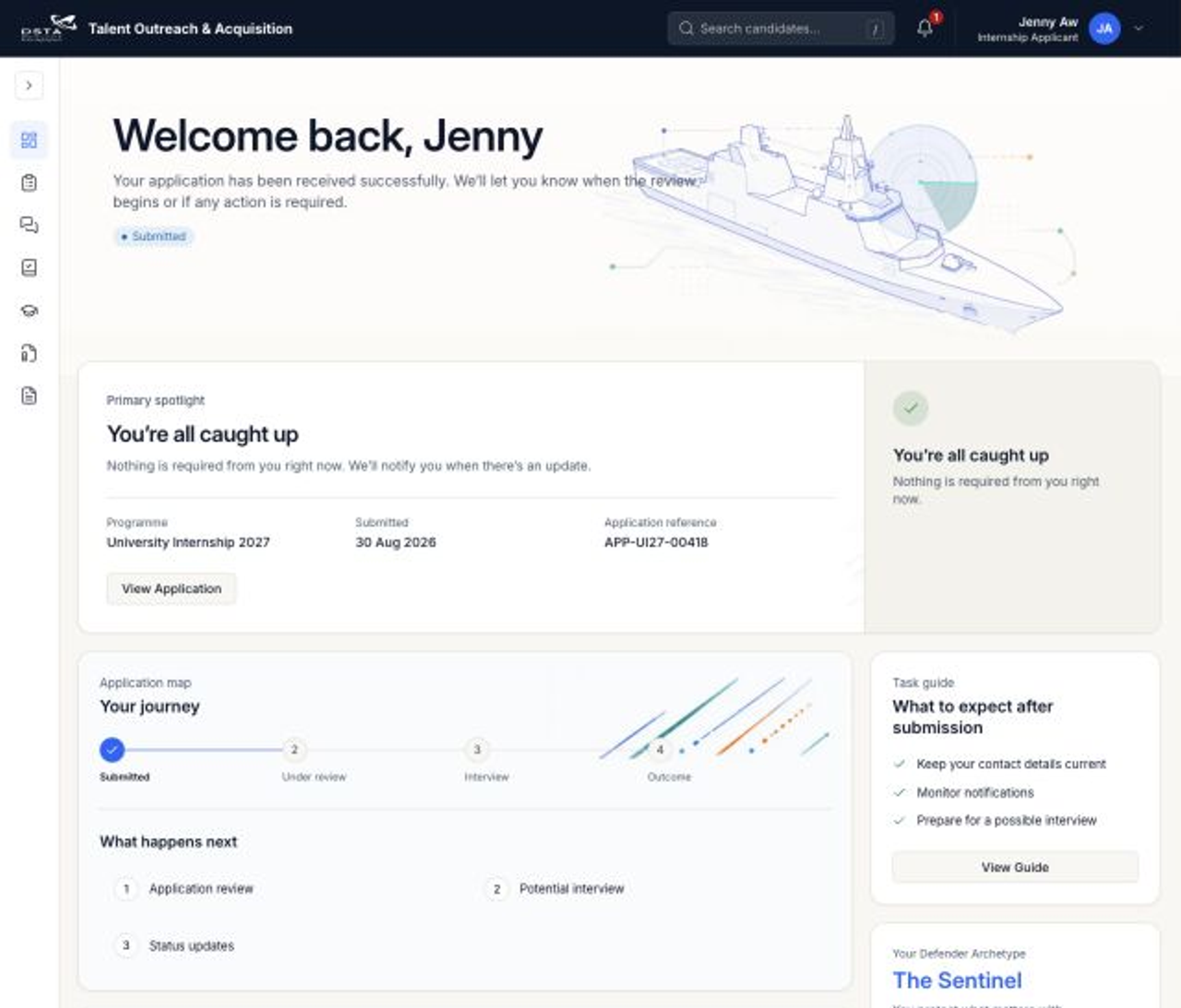
The application is safely received and waiting to enter review.

Application-level state

    Display rule: Use one current marker and leave later stages visible as future context.

    Applicant dashboard showing a submitted application
    Application submittedThe application has entered the tracked journey and is waiting for review.
    Open full size ↗
    Early termination

    Terminal branches replace—not extend—the standard journey

    The final terminal label appears immediately after the last completed stage. Do not keep unused future steps after it.

    Owned by Internship Officer

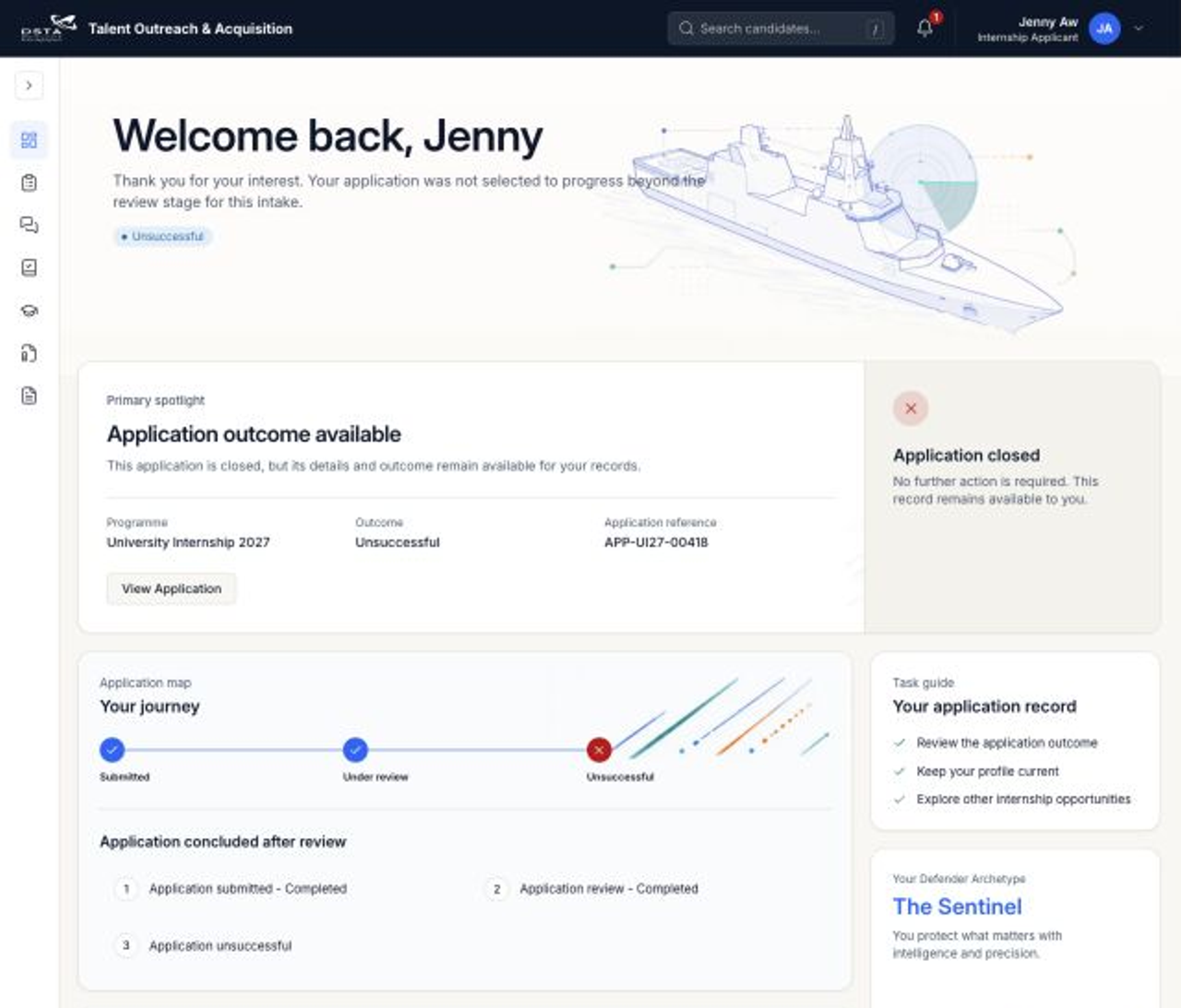
    Application unsuccessful

    The IO may end the application after Submitted, Under review or Interview, before the application enters Outcome.

    Decision at Submitted
    ✓ Submitted→× Unsuccessful
    Decision during review
    ✓ Submitted→✓ Under review→× Unsuccessful
    Decision after interview
    ✓ Submitted→✓ Under review→✓ Interview→× Unsuccessful
    Applicant dashboard showing an Unsuccessful terminal branch
    Dashboard: UnsuccessfulThe terminal node replaces unused future stages.
    IO exit
    Owned by Applicant

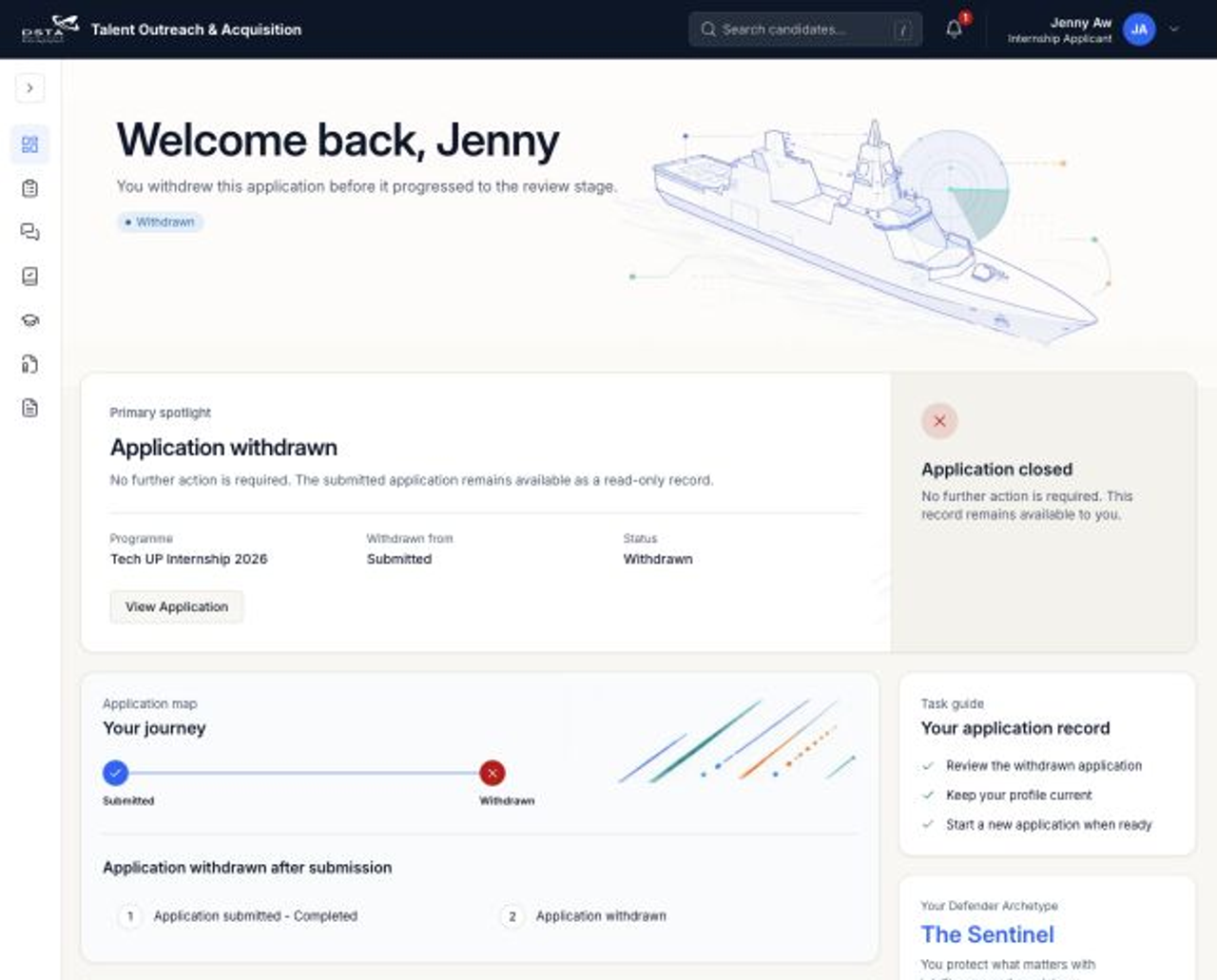
    Application withdrawn

    The applicant may withdraw only before Interview. Once Interview begins, this branch is no longer available.

    Withdraw at Submitted
    ✓ Submitted→× Withdrawn
    Withdraw during review
    ✓ Submitted→✓ Under review→× Withdrawn
    Applicant dashboard showing a Withdrawn terminal branch
    Dashboard: WithdrawnThe applicant-owned terminal branch ends the journey.
    Applicant exit
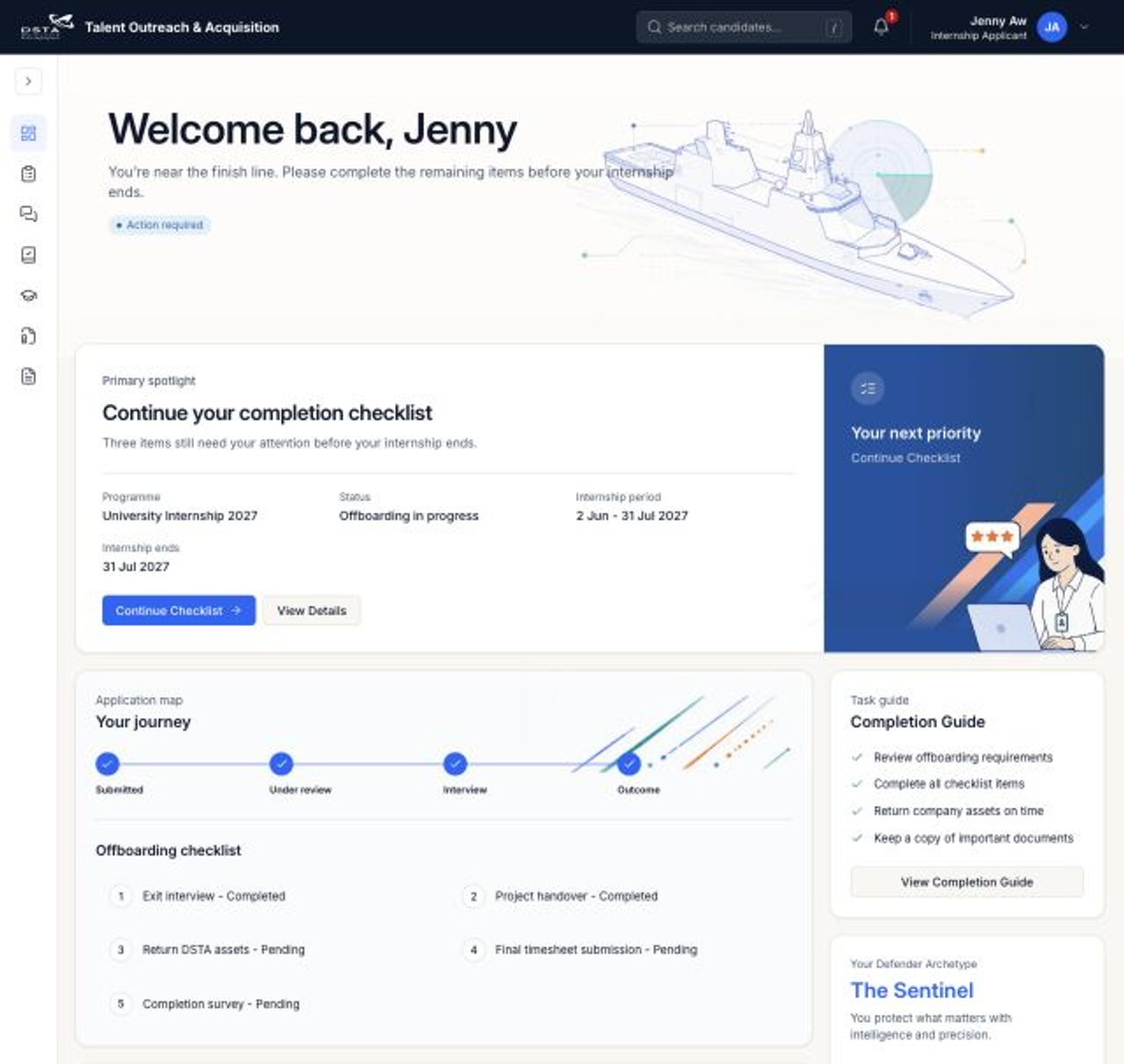
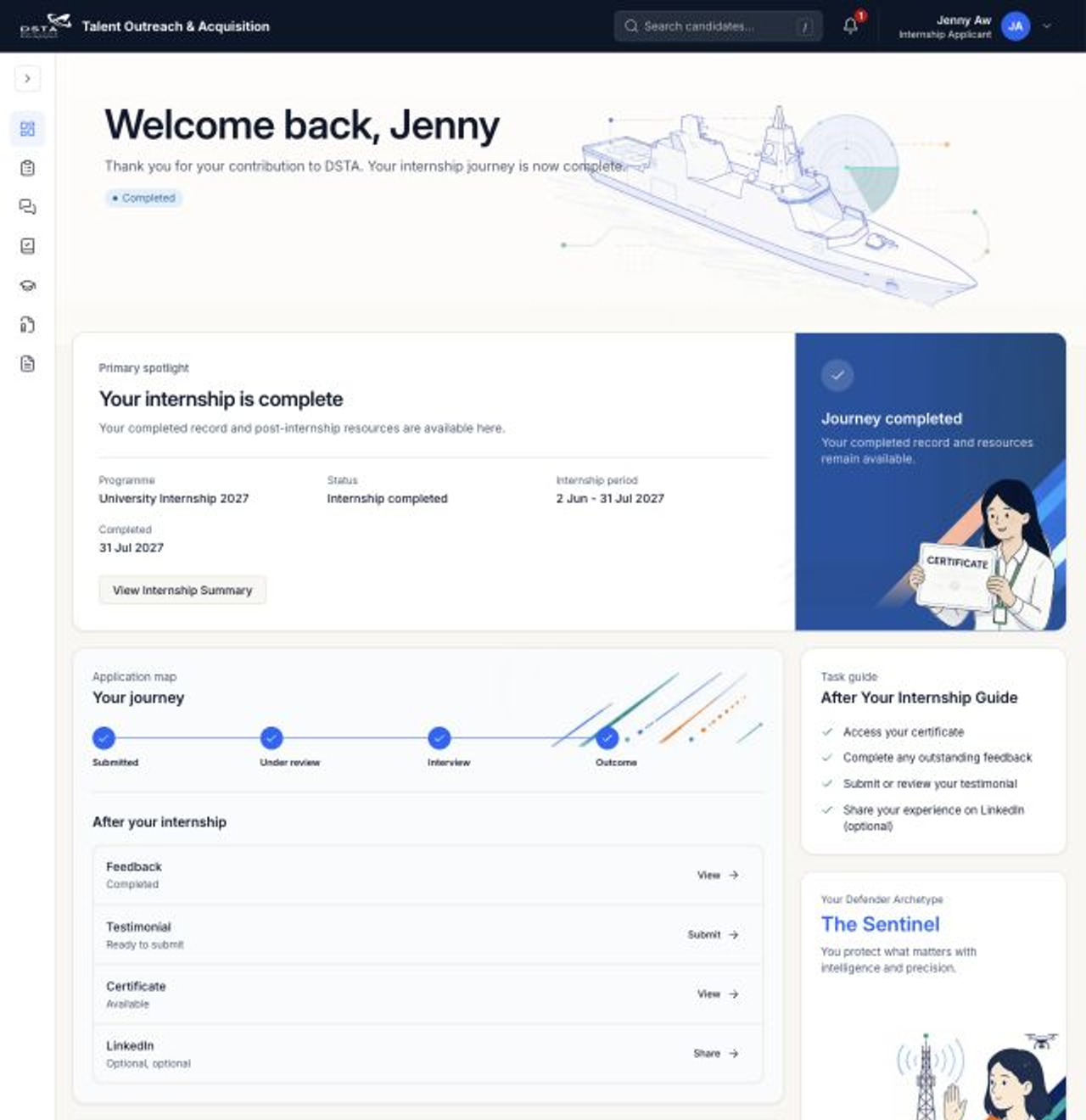
    After offer acceptance

    Offer accepted → Onboarding → Active internship → Completion → Journey completed

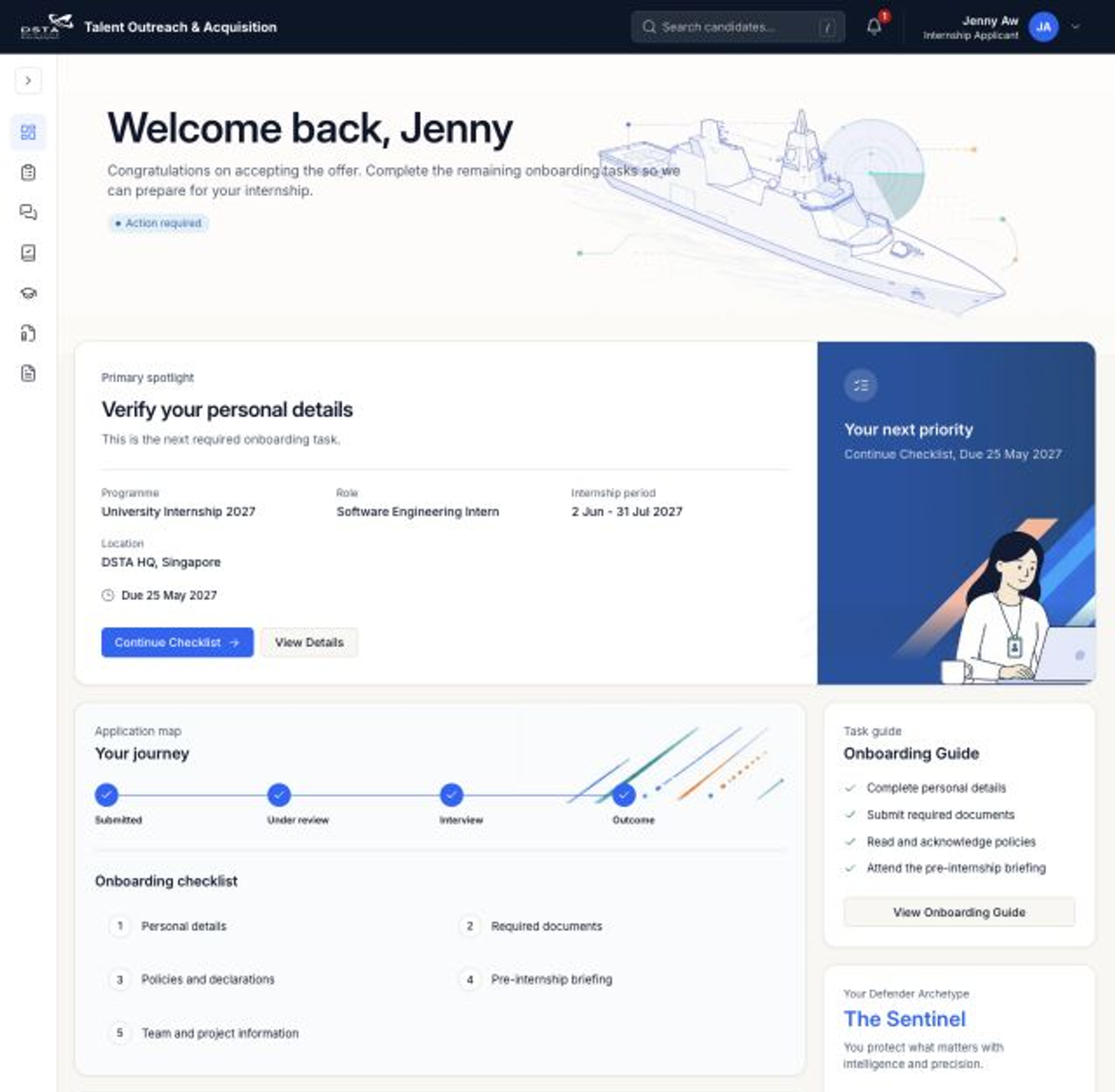
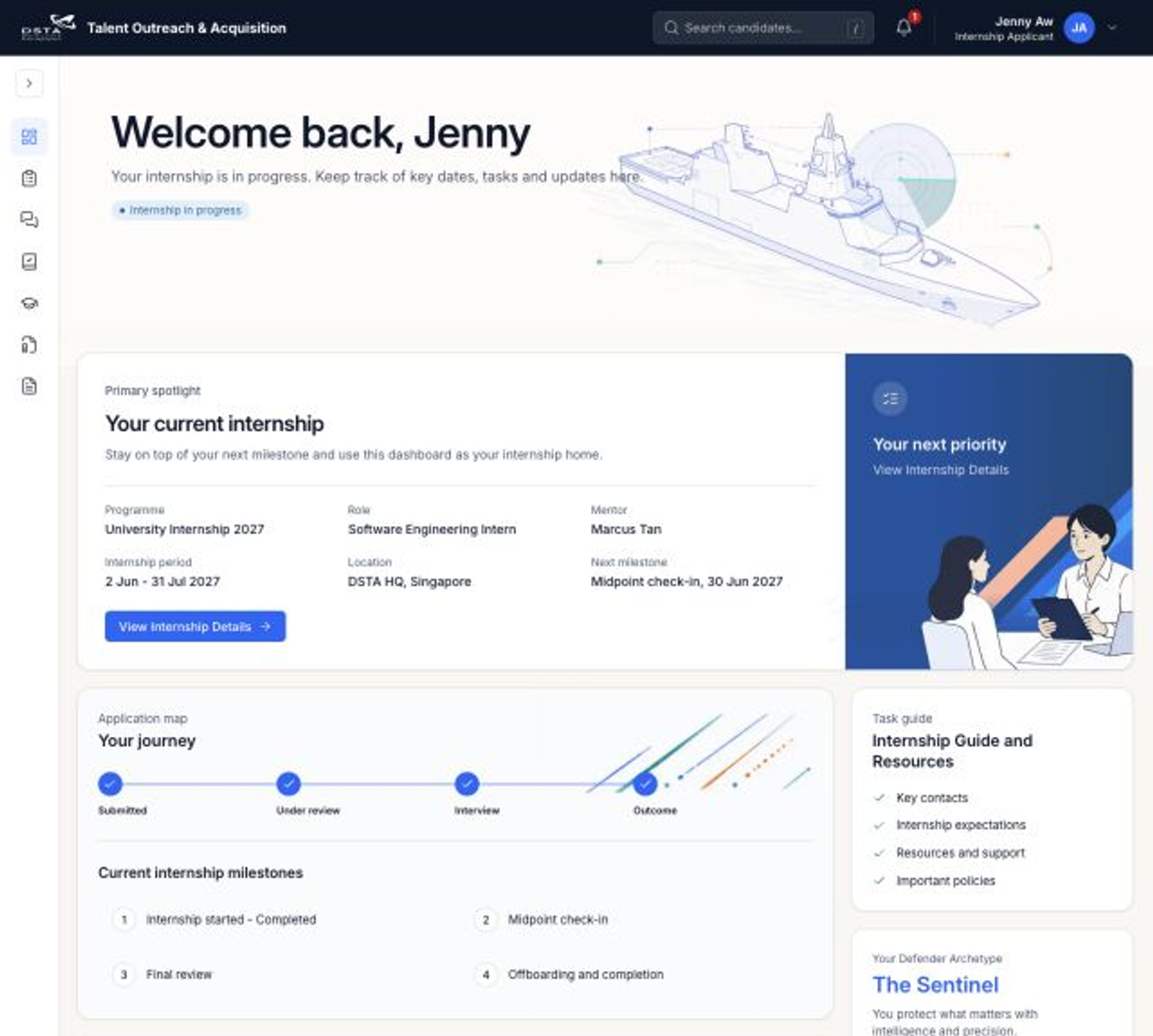
    The application journey hands off to an Intern experience. Use the same pattern: one current state, one primary next action and its matching Dashboard state.

    4 intern states
    ✓

    Offer accepted

    Application journey completes and creates the onboarding handoff.

    1

    Onboarding

    Complete required forms and preparation tasks before the start date.

    2

    Active internship

    Access current internship details, tasks and ongoing support.

    3

    Completion

    Finish offboarding, feedback and any remaining submissions.

    ✓

    Journey completed

    Keep the completed record, certificate and post-internship resources.

    Source alignment: application sequencing and branch constraints come from the supplied “applicant 进度条” document. Pre-submission and Intern states, copy and screenshots come from /apply/dashboard.

    Special scenario

    Multiple applications → separate progress and next actions

    The Dashboard is a portfolio overview. Each application card owns its lifecycle state; selecting one application opens only that record’s journey and evidence.

    Application-scoped
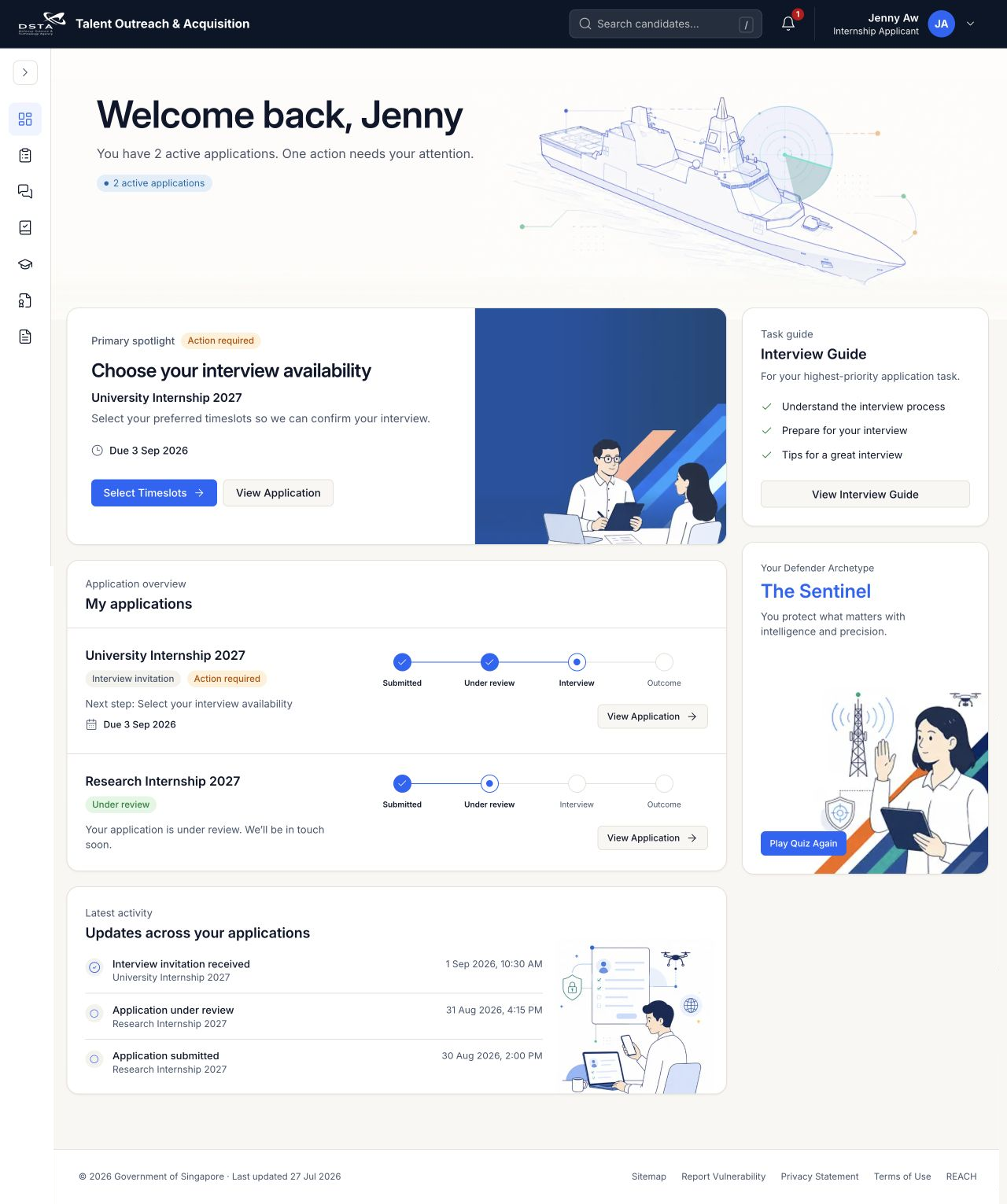
    Applicant dashboard showing two active applications with independent progress and next actions
    Dashboard: Multiple applicationsTwo application records keep separate lifecycle progress while one portfolio-level action receives priority.
    Portfolio overview
    Application APP-UI27-00418

    Cybersecurity Threat Analysis

    University Internship 2027

    Under review
    ✓ Submitted→✓ Under review→Interview→Outcome

    Next action: No action required. Keep contact details current and monitor notifications.

    Application APP-UI27-00502

    Software Engineering

    University Internship 2027

    Draft
    DraftSaved · Not submitted
    →
    ReviewComplete required sections
    →
    SubmittedStarts this application’s journey

    Next action: Resume this draft. Its progress does not inherit the other application’s Under review state.

    Portfolio rule: Never merge progress across applications. A user may have a Draft, an active application, a terminal application and an Intern record at the same time; each card keeps its own status, progress and primary action.